

When Your Work Outgrows the Confluence Page
Confluence is usually the first place teams go to get everyone on the same page. It is where we map out processes, sketch out project plans, and hash out big decisions. However, basic tables often fall short, forcing teams to search for a dedicated confluence spreadsheet app to handle their complex data directly inside their wiki pages.
But as projects grow, pages rarely stay “just text.” A truly useful document ends up a bit messy. It needs to hold your narrative alongside data tables, financial formulas, live charts, and diagrams. When you try to force all of these moving parts into a standard, static page, you immediately hit a wall
The Cost of Context Switching
When a basic table isn’t enough, we usually default to bad habits. We pull parts of the project out of Confluence and spin up separate spreadsheets, tracking apps, or charting tools.
Sure, it fixes your formatting problem for an hour. But it also breaks your team’s workflow. Suddenly, your project info is scattered across four different browser tabs. People are collaborating in separate siloed spaces, and finding the actual “source of truth” becomes a treasure hunt.
The real fix isn’t to leave Confluence—it is to make Confluence a more flexible home for the work you are already doing. Teams need a workspace where they can build complex visuals and manage deep data without losing the context of the page itself.
Choosing the right confluence spreadsheet App
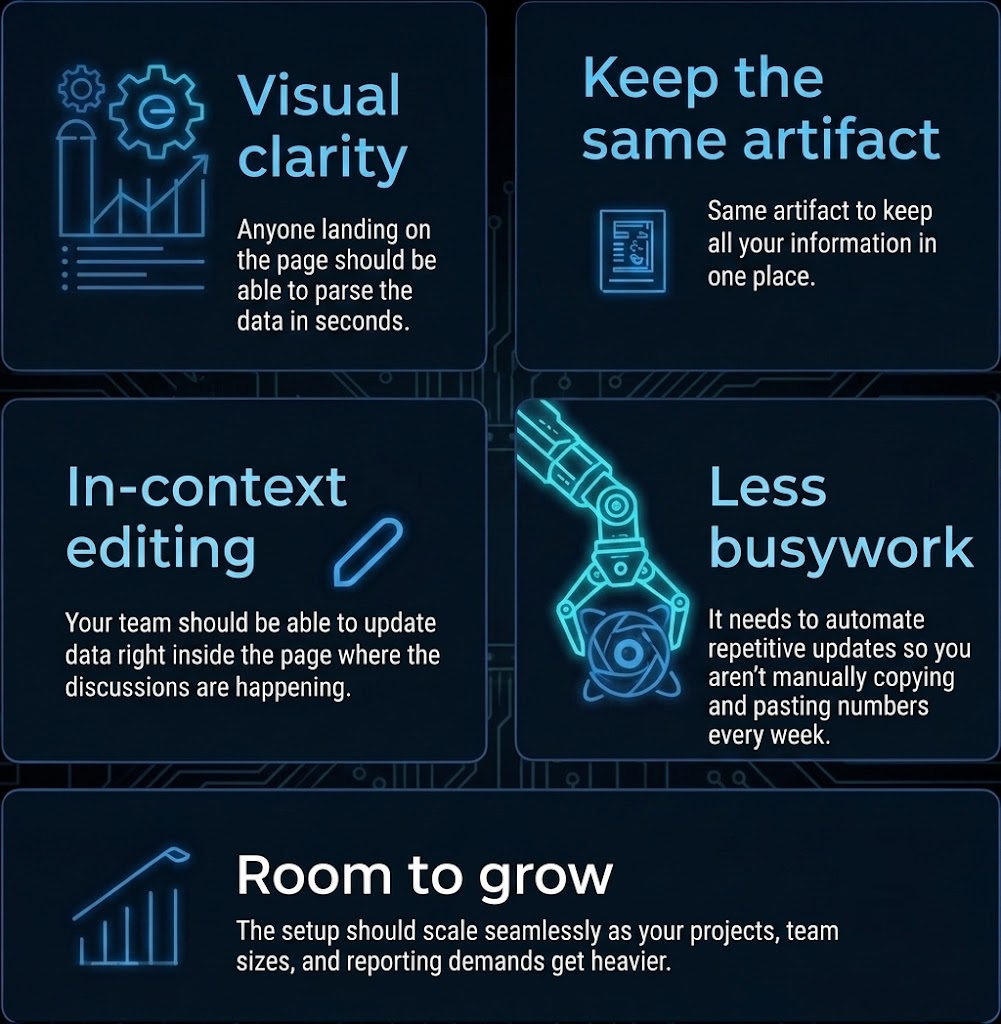
If you are looking to upgrade how your team handles data in Confluence, look for a tool that integrates natively and checks these boxes
A New Chapter Is on the Way
For years, Excellentable has been the go-to confluence spreadsheet app for teams who need more power out of Confluence. It helped teams move far beyond basic, frustrating tables, bringing full spreadsheet capabilities directly into their wiki pages.
Now, we are taking that exact same philosophy and building something even better to help your team manage data, collaborate effortlessly, and keep your workspace unified. Stay tuned for what’s next.